FRAMER PLUGIN BY SOKOLOV CO.
Claude Design→ Framer
With every layer.
Import any Claude Design zip into Framer and have it rebuilt with all layers included, instead of having to do it manually, which takes several hours.

SAVES
HOURS!
HOURS!
INTERACTIVE DEMO
CLICK THE PLUGIN, OR DROP ANY .ZIP ON IT →Try it
Untitled project — FramerDEMO
Layers0
No layers yet. Import a zip with the plugin →
Desktop
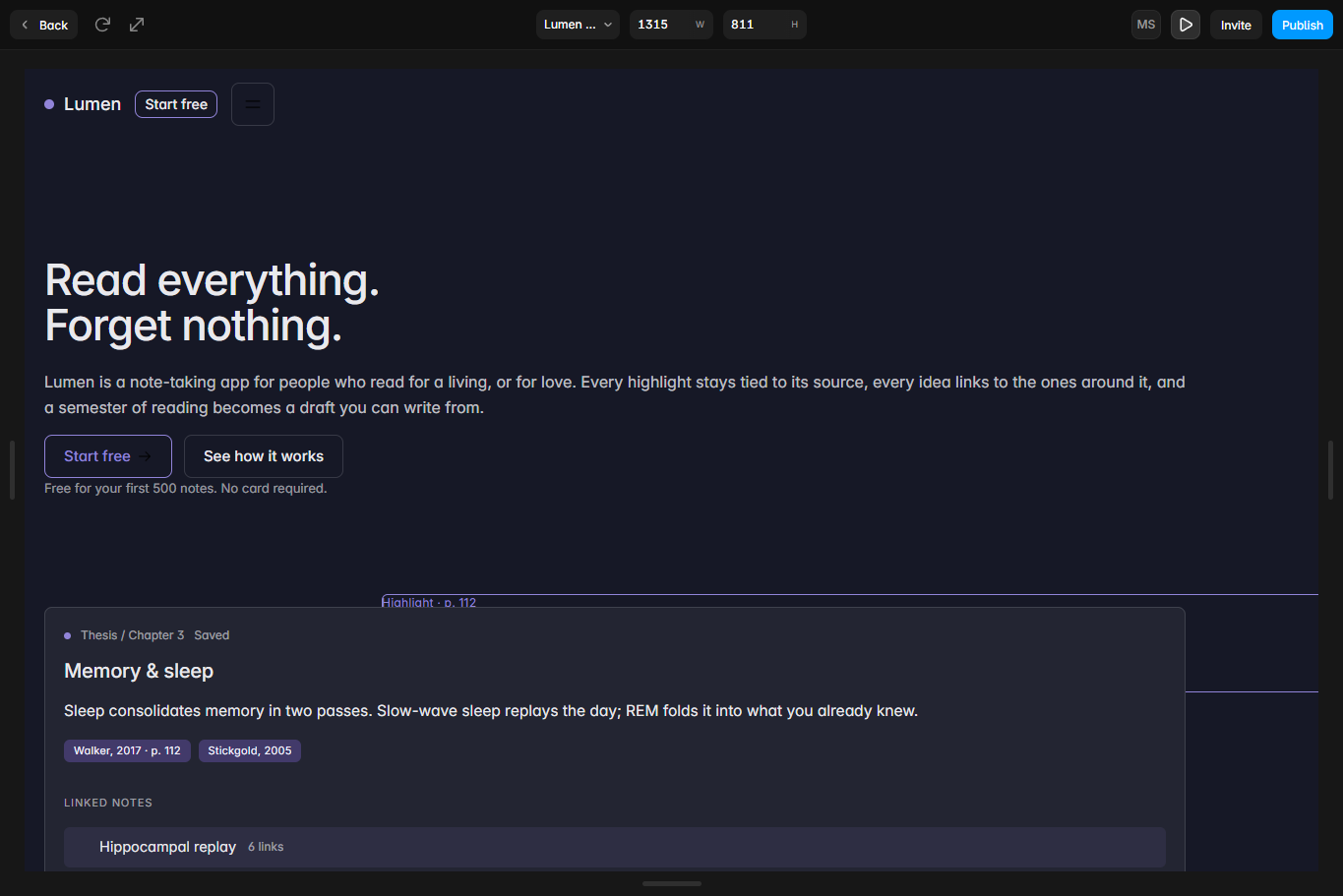
LumenStart free
Read everything.
Forget nothing.
Lumen is a note-taking app for people who read for a living, or for love.
Memory & sleep
Empty frame
Prompt2Page
A SIMULATION. THE REAL PLUGIN RUNS INSIDE FRAMER.
1, 2, 3
How it works
1
Export from Claude Design
Download your design as a .zip.
2
Drop it into Prompt2Page
Open the plugin in Framer and choose the file.
3
Edit real Framer layers
The page is rebuilt on your canvas, layer by layer, ready to edit and publish.
REBUILDING BY HAND
Several hours
WITH PROMPT2PAGE
One import
THE GOODS
What you get
Real layers, not a flat image
Every frame, text block and button comes in as its own layer you can select and edit.
Structure kept
Nesting and layer order follow the original design.
Text stays text
Headings and copy are editable Framer text layers.
CHEAPER THAN YOUR AFTERNOON
Pricing
★★★★★
People are saying
“I used to spend an afternoon rebuilding every Claude mockup. Now I import it and start on the parts that matter.”
“The layers come in named and nested. It looks like I built it myself.”
“Prompt to published site in one sitting. This plugin is the missing step.”
Skip the rebuild.
Questions or feedback: support@sokolovcompany.com · GitHub